Your S3 Bucket Is an Open Directory and You Probably Don't Know It
One curl command can enumerate every file in your S3 bucket. No credentials. No login. Just an HTTP GET. Here is how to find it, why it matters more than you think, and the Terraform fix.
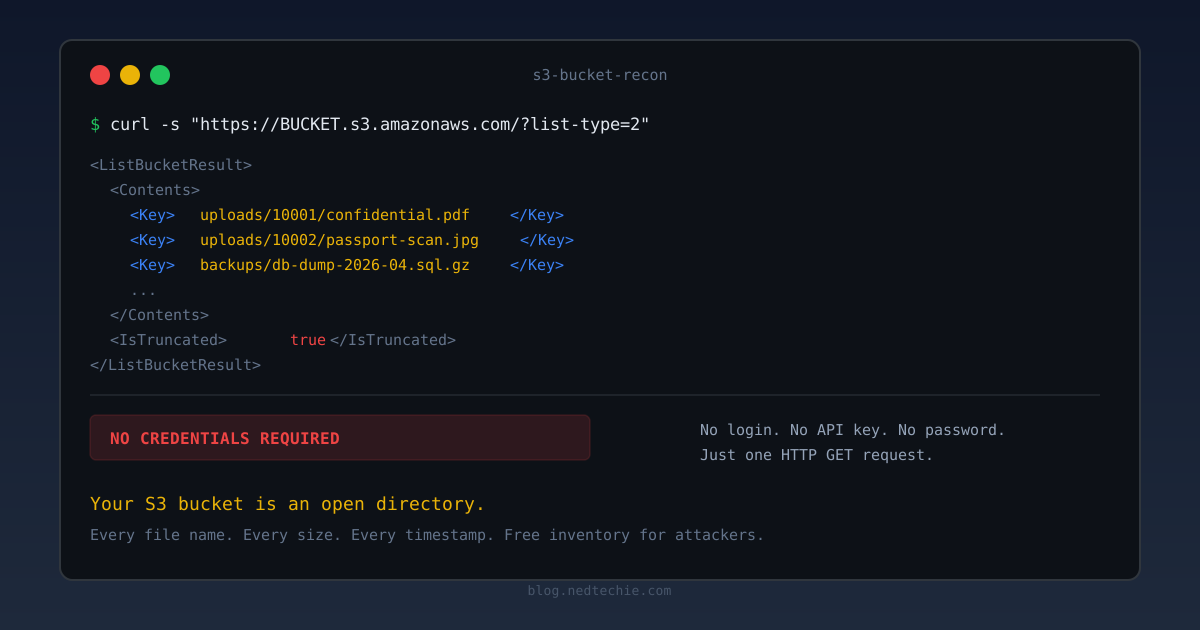
I found six open S3 buckets last week. Not on some random company’s infrastructure. On ours.
No fancy scanner. No credentials. One curl command. Every file name, every file size, every last-modified timestamp, served up in XML like an FTP server from 1998.
I wrote about the full Cognito credential story in How Two curl Commands Gave Me Full Access to an S3 Bucket. But the public listing issue deserves its own post, because it’s simpler, scarier, and way more common than people think.
Set up the API variable before running examples:
The One-Liner That Ruined My Evening
I was knee-deep in a Cognito Identity Pool investigation when I decided to poke at the S3 buckets directly. No AWS credentials. Just plain curl:
1
curl -s "https://my-app-frontend.s3.amazonaws.com/?list-type=2&max-keys=5"
1
2
3
4
5
6
7
8
9
10
11
12
13
<ListBucketResult>
  <Name>my-app-frontend</Name>
  <Contents>
    <Key>_nuxt/app-chunk-abc123.js</Key>
    <Size>124532</Size>
    <LastModified>2026-04-17T09:52:54.000Z</LastModified>
  </Contents>
  <Contents>
    <Key>_nuxt/vendor-chunk-def456.js</Key>
    <Size>89201</Size>
    <LastModified>2026-04-17T09:52:55.000Z</LastModified>
  </Contents>
</ListBucketResult>
Full directory listing. 440 files. No authentication. No Cognito. No nothing.
I checked the other buckets. Same story. Six buckets total: three production, three staging, all happily handing over their file inventory to anyone who asked.
How This Happens
The bucket had acl = "public-read" in its Terraform config. That ACL grants two S3 permissions to the AllUsers group (i.e., everyone on the internet):
s3:GetObject– download individual files if you know the paths3:ListBucket– enumerate every file in the bucket
Most people know about the first one. That’s the whole point of a public bucket: serve files. But ListBucket is the silent killer. It turns your bucket from “files are accessible if you know the URL” into “here’s a complete inventory of everything we have.”
The developer who set this up needed GetObject for CloudFront to serve the frontend. The public-read ACL was the quickest way to make that work. But public-read doesn’t mean “anyone can read individual files.” It means “anyone can read everything, including the directory structure.”
“But we use CloudFront!” CloudFront sits in front of the S3 URL. It doesn’t lock the S3 URL itself. Unless you’re using Origin Access Control (OAC) with a restrictive bucket policy, hitting
BUCKET.s3.amazonaws.comdirectly bypasses CloudFront entirely. Your CDN is a front door. The S3 URL is the unlocked back door.
Why This Is Worse Than a Data Leak
An attacker who can download one file has one file. An attacker who can list a bucket has a roadmap.
They know what you have. File names reveal your stack (_nuxt/, admin/, .env.backup), your upload patterns (uploads/10001/passport.jpg, uploads/10002/id-card.png), and your internal conventions. Even if the files themselves are worthless, the metadata tells a story.
They know when you deploy. LastModified timestamps on build artifacts reveal your deployment cadence. An attacker watching your listing can tell when you push, how often, and whether there’s a gap worth exploiting.
They can paginate everything. S3’s ListObjectsV2 API (?list-type=2) returns up to 1,000 objects per request. If the response has <IsTruncated>true</IsTruncated>, it includes a NextContinuationToken. Pass that as &continuation-token=TOKEN and you get the next page. A simple loop gets you every file in the bucket:
1
2
3
4
5
6
7
8
9
10
# Enumerate every file in a publicly listable bucket
TOKEN=""
while true; do
  URL="https://BUCKET.s3.amazonaws.com/?list-type=2&max-keys=1000"
  [ -n "$TOKEN" ] && URL="${URL}&continuation-token=${TOKEN}"
  RESPONSE=$(curl -s "$URL")
  echo "$RESPONSE" | grep -oP '(?<=<Key>).*?(?=</Key>)'
  TOKEN=$(echo "$RESPONSE" | grep -oP '(?<=<NextContinuationToken>).*?(?=</NextContinuationToken>)')
  [ -z "$TOKEN" ] && break
done
That’s it. Complete bucket inventory. Every file name, every size, every timestamp. An attacker doesn’t even need to download anything to learn what’s worth stealing.
Search engines index these listings. GrayhatWarfare maintains a searchable database of over 180 million files across publicly accessible S3 buckets. You can search by filename, keyword, or file extension. If your bucket has been publicly listable for more than a few days, there’s a good chance it’s already catalogued. Google indexes them too. Try site:s3.amazonaws.com filetype:sql sometime.
Automated tools hunt for exactly this. Tools like S3Scanner, Slurp, and bucket-finder try common naming patterns against S3. If your company is “acme-corp”, they’ll try acme-corp, acme-corp-staging, acme-corp-uploads, acme-corp-backups. When they get ListBucketResult instead of AccessDenied, they know they’ve hit gold.
The Real-World Damage
This isn’t theoretical. Public S3 listings have caused some of the biggest cloud breaches on record.
Accenture (2017) – four S3 buckets left publicly accessible, exposing internal credentials, decryption keys, and customer data. Found by a security researcher who simply enumerated the bucket contents.
Ghana National Service Secretariat (2018-2021) – a publicly accessible S3 bucket exposed PII of an estimated 500,000-600,000 people for over three years before anyone noticed. Three years of public listing. Nobody checked.
A 2021 Lightspin study of 40,000 S3 buckets found that 46% had some form of misconfiguration, though only about 4% per company were fully public. AWS changed defaults in April 2023 to block public access on new buckets. But legacy buckets, the ones created before April 2023, the ones that “just work,” the ones nobody has audited, those are still out there. Serving directory listings. Right now.
Test Yours Right Now
Stop reading. Open a terminal. Run this against every public bucket you own:
1
curl -s "https://YOUR-BUCKET.s3.amazonaws.com/?list-type=2&max-keys=5"
If you get XML back with <ListBucketResult>, your file inventory is public. If you get <Error><Code>AccessDenied</Code>, you’re fine.
Don’t just test production. Test staging. Test dev. Test that bucket someone created for “a quick demo” two years ago. Those are the ones that get forgotten.
Don’t know your bucket names? They’re easier to find than you think. Check your frontend JavaScript. S3 URLs and bucket names are often baked into the production bundle:
1
curl -s "$API" | grep -oE "[a-z0-9.-]+\.s3[a-z0-9.-]*\.amazonaws\.com"
CloudFront error pages also leak S3 origins. Hit a nonexistent path and check the response headers:
1
curl -sI "$API/nonexistent-path-12345" | grep -iE "x-amz|server.*amazon"
If you see server: AmazonS3 or x-amz- headers, there’s an S3 bucket behind that CloudFront distribution. And if the bucket has public-read, you can list it directly.
The Fix: DenyPublicListBucket
The fix is one bucket policy statement. Add this to every public bucket:
1
2
3
4
5
6
7
8
9
10
11
12
13
14
15
16
{
  Sid       = "DenyPublicListBucket"
  Effect    = "Deny"
  Principal = "*"
  Action = [
    "s3:ListBucket",
    "s3:ListBucketVersions",
    "s3:ListBucketMultipartUploads"
  ]
  Resource = aws_s3_bucket.my_bucket.arn
  Condition = {
    StringNotEquals = {
      "aws:PrincipalAccount" = data.aws_caller_identity.current.account_id
    }
  }
}
The aws:PrincipalAccount condition is the key. It says: “deny listing for everyone except principals from our own AWS account.” CloudFront distributions, CodeBuild, Lambda, all internal services still work. Random people on the internet get AccessDenied.
After deploying:
1
2
3
4
5
6
7
# Before
curl -s "https://my-app-frontend.s3.amazonaws.com/?list-type=2"
# <ListBucketResult>...<Key>index.html</Key>...440 objects...</ListBucketResult>

# After
curl -s "https://my-app-frontend.s3.amazonaws.com/?list-type=2"
# <Error><Code>AccessDenied</Code><Message>Access Denied</Message></Error>
Individual files are still accessible if you know the exact URL (the bucket is still public-read for GetObject). But you can no longer enumerate the contents. An attacker would have to guess exact file paths instead of getting a free inventory.
Note:
s3:ListBucketands3:ListBucketMultipartUploadsare bucket-level actions, so theResourcemust be the bucket ARN (arn:aws:s3:::bucket-name), not the object ARN (arn:aws:s3:::bucket-name/*). Getting this wrong means the deny statement silently does nothing.
The Proper Fix: Stop Using public-read Entirely
The deny statement is a fast patch. The right fix is to remove public-read entirely and use Origin Access Control (OAC) so only CloudFront can read from the bucket.
Four things need to happen:
- Switch to an S3 origin in CloudFront (not a custom/website origin)
- Enable OAC – CloudFront signs requests with SigV4
- Replace
Principal: *in the bucket policy with a CloudFront-only grant - Enable Block Public Access on the bucket
The bucket policy becomes:
1
2
3
4
5
6
7
8
9
10
11
12
13
14
15
16
17
data "aws_iam_policy_document" "frontend_bucket_policy" {
  statement {
    sid     = "AllowCloudFrontOnly"
    effect  = "Allow"
    actions = ["s3:GetObject"]
    resources = ["${aws_s3_bucket.frontend.arn}/*"]
    principals {
      type        = "Service"
      identifiers = ["cloudfront.amazonaws.com"]
    }
    condition {
      test     = "StringEquals"
      variable = "AWS:SourceArn"
      values   = [aws_cloudfront_distribution.frontend.arn]
    }
  }
}
Now the bucket is completely private. No ListBucket for anyone outside CloudFront. No GetObject for direct S3 URL access. The only way to read files is through your CloudFront distribution.
I wrote about this in more detail, including the gotchas with custom origins vs S3 origins, in the Cognito S3 post.
Detecting This at Scale
Checking buckets manually doesn’t scale. Here’s how to catch this automatically.
AWS Config has a managed rule for exactly this:
1
2
3
4
5
6
7
resource "aws_config_config_rule" "s3_public_read" {
  name = "s3-bucket-public-read-prohibited"
  source {
    owner             = "AWS"
    source_identifier = "S3_BUCKET_PUBLIC_READ_PROHIBITED"
  }
}
This checks Block Public Access settings, bucket policies, and ACLs. Any bucket that allows public read (including listing) gets flagged as non-compliant. It maps to Security Hub control S3.2 if you have Security Hub enabled.
Two other controls worth enabling:
s3-bucket-public-write-prohibited(Security Hub S3.3) – catches public write accesss3-bucket-level-public-access-prohibited(Security Hub S3.8) – catches buckets without Block Public Access, even if the account-level setting is on
For a quick audit of all buckets in your account:
1
2
3
4
5
# List all buckets and check their public access block configuration
aws s3api list-buckets --query 'Buckets[].Name' --output text | tr '\t' '\n' | while read bucket; do
  echo "=== $bucket ==="
  aws s3api get-public-access-block --bucket "$bucket" 2>/dev/null || echo "  NO PUBLIC ACCESS BLOCK CONFIGURED"
done
Any bucket that returns “NO PUBLIC ACCESS BLOCK CONFIGURED” is a candidate for listing exposure. Check those first.
The Checklist
Run through this for every S3 bucket in your AWS account:
- Does the bucket have
acl = "public-read"? Does it actually need it? - Can you list the bucket contents without credentials?
1
curl -s "https://BUCKET.s3.amazonaws.com/?list-type=2&max-keys=5"
- Is Block Public Access enabled at the bucket level?
- If the bucket serves files via CloudFront, is it using OAC with a restrictive bucket policy?
- Is the
s3-bucket-public-read-prohibitedConfig rule active in your account? - Have you checked staging and dev environments, not just production?
What I Learned
public-read is not public-get. The name sounds like it means “anyone can read files.” It actually means “anyone can read files and list the entire bucket.” If you just need CloudFront to serve files, OAC is the right tool. public-read is a shotgun when you need a scalpel.
The “it works” test is not a security test. Our buckets passed every functional test. CloudFront served files. Deploys worked. Users were happy. But nobody ever ran curl -s "https://BUCKET.s3.amazonaws.com/?list-type=2" and asked what came back. Working correctly and being secure are two different things.
Legacy buckets are the ones that bite you. AWS changed defaults in April 2023 so new buckets have Block Public Access enabled. But any bucket created before that date still has whatever ACL it was born with. That’s over two years of buckets that might be quietly serving directory listings. Go check them.
The deny statement is faster than the right fix. I deployed DenyPublicListBucket to all six buckets in one PR, in 30 minutes. The full OAC migration is still in progress. Incremental security is real security. Don’t let “we should do it properly” become an excuse to do nothing today.
If you’ve run that curl command and found something you didn’t expect, I’d love to hear about it. LinkedIn or GitHub. Now go check your staging buckets.