When Your Internal Fields Aren't Internal: The Day I Deleted My Own Account
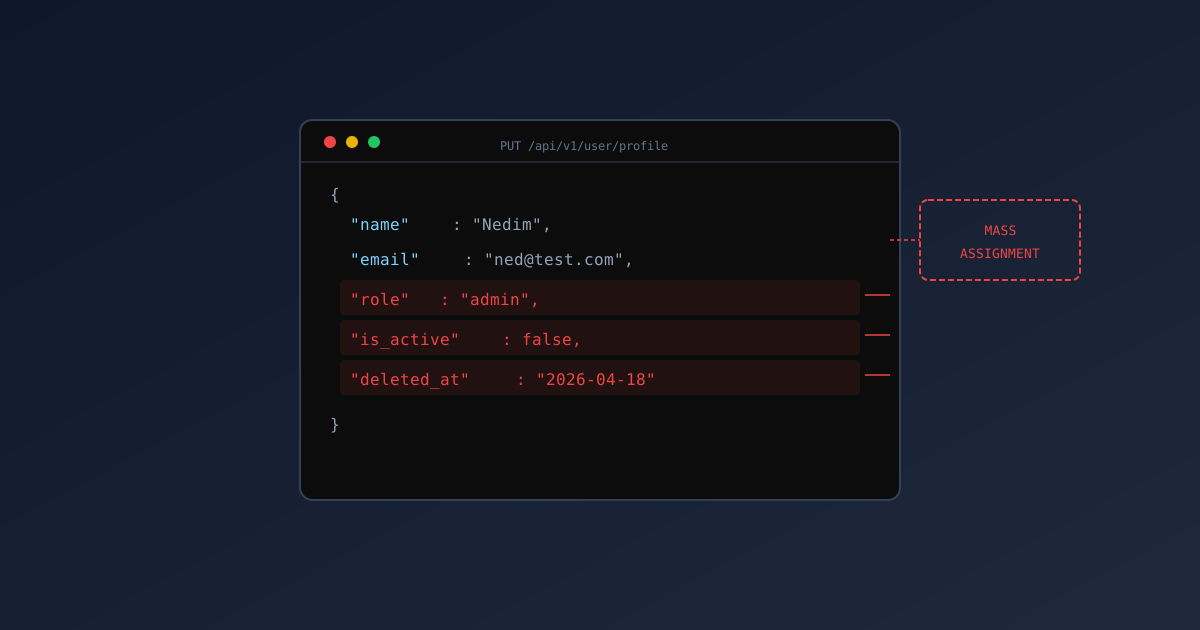
I deleted my own account today.
Not on purpose. I’m not that chaotic. I was testing something, and then I couldn’t log in anymore.
The Profile Update Endpoint
I was testing the user profile update functionality. You know, the thing where you change your name or update your email. Standard stuff.
The request looks like this:
1
2
3
4
5
6
PUT /api/users/12345
{
  "firstName": "Nedim",
  "lastName": "Hadzimahmutovic",
  "email": "[email protected]"
}
Simple. Clean. Boring.
But I’ve learned that boring endpoints hide interesting behavior. So I started wondering: what else can I send?
The Experiment
Throughout this post, I’m using
$APIas the base URL. Set it to your own target:
First, I tried adding fields that weren’t in the documentation:
1
2
3
4
5
6
7
8
9
curl -X PUT "$API/users/10042" \
  -H "Authorization: Bearer $TOKEN" \
  -H "Content-Type: application/json" \
  -d '{
    "firstName": "Nedim",
    "lastName": "Hadzimahmutovic",
    "email": "[email protected]",
    "role": "admin"
  }'
I knew about the role escalation check; they’d already fixed that. The role field gets stripped for non-admins. Good.
But what about other fields? Fields that aren’t in the DTO but exist in the database?
Finding the Internal Fields
I looked at the User entity in the codebase. There were fields I didn’t recognize:
isDeleted— soft delete flagduplicate— marks accounts that are duplicatesmergeWithId— links to the “canonical” accountinternalNotes— admin notes about the user
None of these were in the update DTO. None of them should be user-modifiable.
But… what if?
The First Test
1
2
3
4
5
6
7
8
9
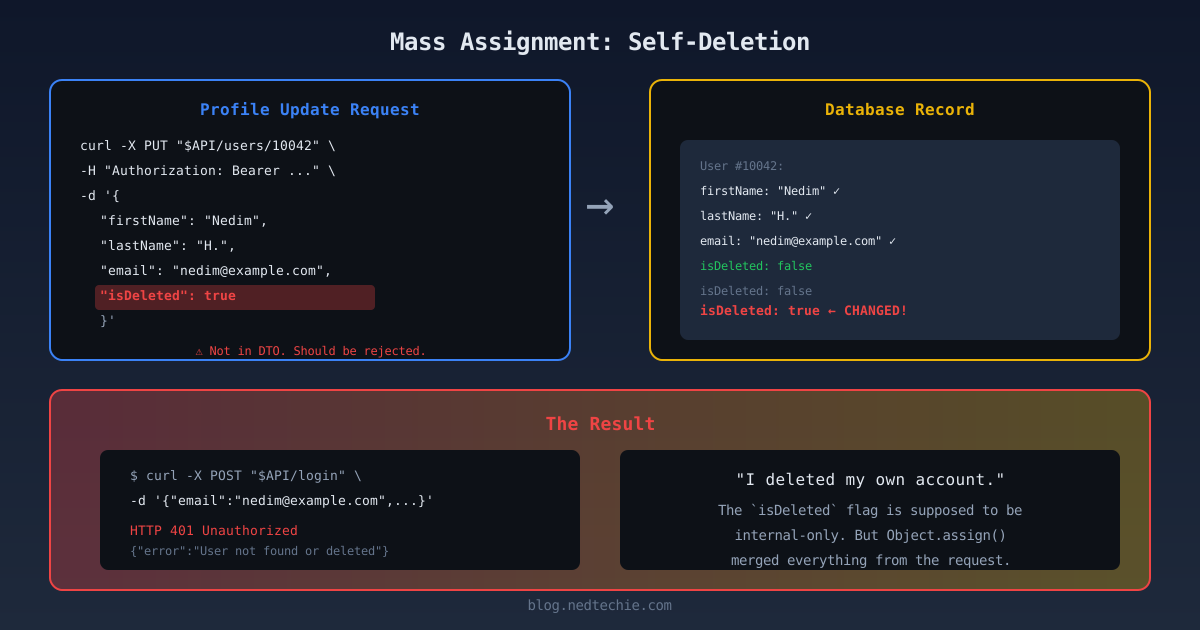
curl -X PUT "$API/users/10042" \
  -H "Authorization: Bearer $TOKEN" \
  -H "Content-Type: application/json" \
  -d '{
    "firstName": "Nedim",
    "lastName": "Test",
    "email": "[email protected]",
    "isDeleted": true
  }'
Response: {"success":true,"message":"User updated successfully"}
“Okay,” I thought. “It accepted the field. But it probably just ignored it, right?”
I checked my profile:
1
2
curl "$API/auth/me" \
  -H "Authorization: Bearer $TOKEN"
Response:
1
2
3
4
5
6
7
{
  "id": 10042,
  "firstName": "Nedim",
  "lastName": "Test",
  "email": "[email protected]",
  "isDeleted": true
}
Oh.
The Panic
I stared at the screen. isDeleted: true. That means… I can’t log in anymore, can I?
I tried:
1
2
curl -X POST "$API/auth/login" \
  -d '{"email":"[email protected]","password":"correctpassword"}'
Response: {"success":false,"message":"Email or password does not match"}
Yup. Soft-deleted accounts can’t log in. My test account was effectively gone.
The Other Fields
Since I was already locked out (and would need an admin to fix it anyway), I decided to test the other fields before reporting.
I created a new test account. Tried the duplicate field:
1
2
3
4
5
6
7
curl -X PUT "$API/users/10043" \
  -H "Authorization: Bearer $TOKEN" \
  -d '{
    "firstName": "Test",
    "duplicate": 1,
    "mergeWithId": 99999
  }'
Checked the profile:
1
2
3
4
{
  "duplicate": 1,
  "mergeWithId": 99999
}
Both fields were accepted and stored. My test account was now flagged as a duplicate of user 99999 (who doesn’t exist, but the system doesn’t know that).
Why This Happens
I dug into the code. Found the issue:
1
2
3
4
5
6
7
8
9
10
11
@Put('/:id')
async updateUser(@Param('id') id: string, @Body() body: UpdateUserDto) {
  // Validate DTO
  await validate(body);

  // Merge with existing user
  const user = await this.userRepository.findOne(id);
  Object.assign(user, body);  // <-- This is the problem

  await this.userRepository.save(user);
}
The DTO validates that provided fields meet criteria. But Object.assign merges ALL properties from body into user. Including ones that aren’t in the DTO.
The UpdateUserDto class:
1
2
3
4
5
6
7
8
9
10
11
12
13
class UpdateUserDto {
  @IsString()
  @IsOptional()
  firstName?: string;

  @IsString()
  @IsOptional()
  lastName?: string;

  @IsEmail()
  @IsOptional()
  email?: string;
}
Notice: no isDeleted, no duplicate, no mergeWithId. But the validation doesn’t reject unknown fields. It just validates the ones it knows about.
The Fix (That I Should Have Seen Coming)
There are multiple ways to fix this. Here’s what we implemented:
Option 1: Whitelist Explicitly (Safest)
1
2
3
4
5
6
7
8
9
10
11
@Put('/:id')
async updateUser(@Param('id') id: string, @Body() dto: UpdateUserDto) {
  const allowedUpdates = {
    firstName: dto.firstName,
    lastName: dto.lastName,
    email: dto.email
    // Explicitly list only allowed fields
  };

  await this.userRepository.update(id, allowedUpdates);
}
Option 2: Validation Pipe Settings
1
2
3
4
app.useGlobalPipes(new ValidationPipe({
  whitelist: true,        // Strip unknown properties
  forbidNonWhitelisted: true  // Throw error if unknown
}));
With these settings, sending isDeleted: true would result in:
1
2
3
4
5
{
  "statusCode": 400,
  "message": ["property isDeleted should not exist"],
  "error": "Bad Request"
}
Option 3: Entity-Level Protection
1
2
3
4
5
6
7
8
9
10
11
12
13
14
15
16
17
18
@Entity()
export class User {
  // Public fields
  @Column()
  firstName: string;

  @Column()
  lastName: string;

  // Internal fields - not exposed
  @Column({ default: false })
  @Exclude()  // From class-transformer
  isDeleted: boolean;

  @Column({ nullable: true })
  @Exclude()
  duplicate: number;
}
Note: This requires enabling classTransformer in your server config, which wasn’t enabled here. That’s why @Exclude() wasn’t working.
The Conversation
When I reported this (from my other test account, since my main one was soft-deleted), the first response was:
“But we fixed the role escalation!”
“Yes,” I said. “You fixed role. But there are other internal fields.”
“But they’re not in the DTO!”
“Yes,” I said. “But you’re not rejecting unknown fields. You’re just… accepting them.”
There was a pause.
“Oh no.”
“Yeah.”
“How bad is it?”
“I deleted my own account. So… pretty bad.”
The Aftermath
They fixed it within hours. Added whitelist: true and forbidNonWhitelisted: true to the global validation pipe. Did a code audit of all update endpoints.
My original account was restored. The isDeleted flag was set back to false. I could log in again.
But I’ll never forget that moment of staring at {"isDeleted": true} and realizing I’d locked myself out.
Lessons Learned
-
DTO validation is not enough. It checks types and requirements. It doesn’t protect against extra fields.
-
Object.assignis dangerous. It’s convenient, but it merges everything. Use explicit field assignment. -
Internal fields need protection. At the entity level, at the DTO level, AND at the controller level.
-
Test with extra fields. Always send fields that shouldn’t be there. See what happens.
-
Have a way to recover. If I hadn’t had admin access, my test account would have been permanently locked. Soft deletes are good, but you need a way to undo them.
The Paranoia Checklist
Now, when I review code, I look for:
Object.assignwith user input- Spread operators with user input:
{ ...req.body } - Missing
whitelist: truein validation - Missing
@Exclude()on sensitive fields - Direct ORM merges without field filtering
Every single one of these has caused a vulnerability somewhere.
Why I Do This
I could have just tested the documented fields. Checked that firstName updates correctly. Called it done.
But that’s not how attackers think. Attackers send everything. They probe. They try isAdmin, isDeleted, role, permissions, internalFlag. They look for the fields you forgot to protect.
If I don’t test like an attacker, I won’t find what an attacker would find.
Even if it means deleting my own account at 2 PM on a Wednesday.
Ever accidentally locked yourself out of your own system? Let’s share stories. LinkedIn or GitHub.