The CORS Rabbit Hole I Didn't Want to Go Down
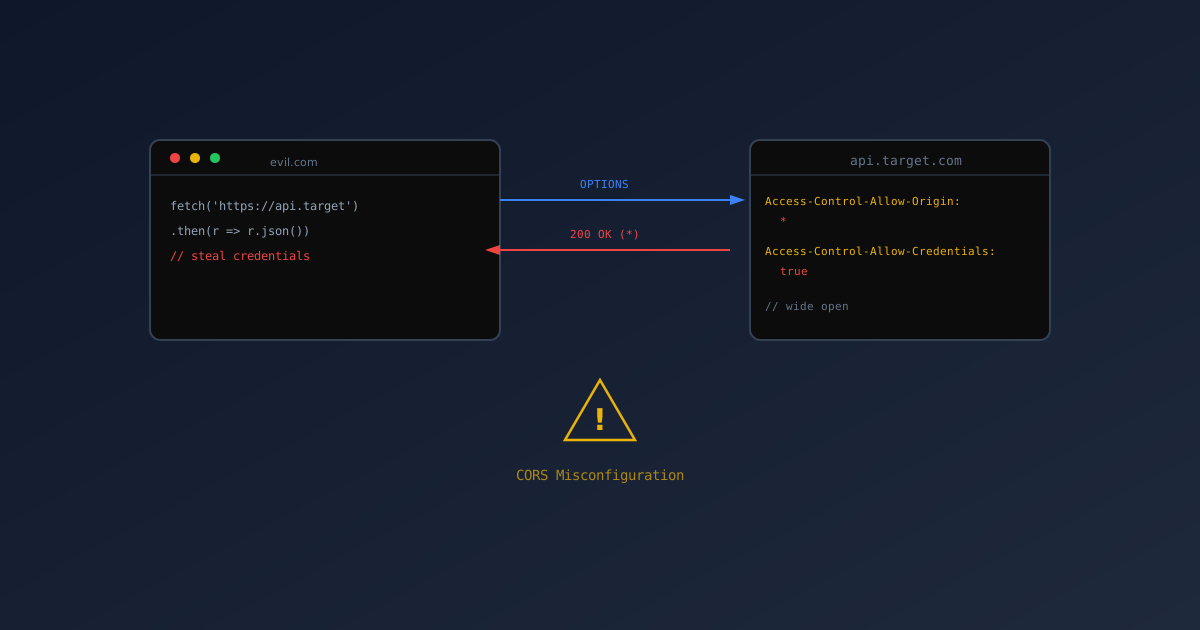
I was supposed to be testing SQL injection. That’s what my notes said: “Test for SQL injection in search endpoints.” But you know how it is. You send one curl request, see something weird, and suddenly it’s three hours later and you’re writing a report about CORS misconfigurations.
This is how a simple OPTIONS request ruined my Tuesday.
The Accidental Discovery
It started with me being lazy. I wanted to test something from the browser console instead of writing a curl command. So I opened the dev tools and tried to fetch from the API.
1
2
3
fetch('https://api.example.com/config')
  .then(r => r.json())
  .then(console.log)
It worked. Of course it worked. The API returns public config data, so it should work.
But then I got curious. What if I sent a custom origin header? What if I… lied?
1
2
3
fetch('https://api.example.com/config', {
  headers: { 'Origin': 'https://evil.com' }
})
The response came back with:
1
HTTP/1.1 500 Internal Server Error
Wait, what? Not a 403. Not a 401. A 500. The server crashed because I sent a fake origin?
Digging Deeper
Throughout this post, I’m using
$APIas the base URL. Set it to your own target:
Okay, so error handling was broken. That’s one finding. But what about valid origins?
I tried the real domain:
1
2
curl -sI "$API/config" \
  -H "Origin: https://app.example.com"
Response:
1
2
Access-Control-Allow-Origin: https://app.example.com
Access-Control-Allow-Credentials: true
Good. That’s expected.
But then I tried:
1
2
curl -sI "$API/config" \
  -H "Origin: https://anything.example.com"
Response:
1
2
Access-Control-Allow-Origin: https://anything.example.com
Access-Control-Allow-Credentials: true
Anything. The CORS configuration accepted any subdomain.
The “Oh No” Moment
I sat back in my chair and stared at the terminal. I’ve seen this before. I’ve read about it. But seeing it on your own system is different.
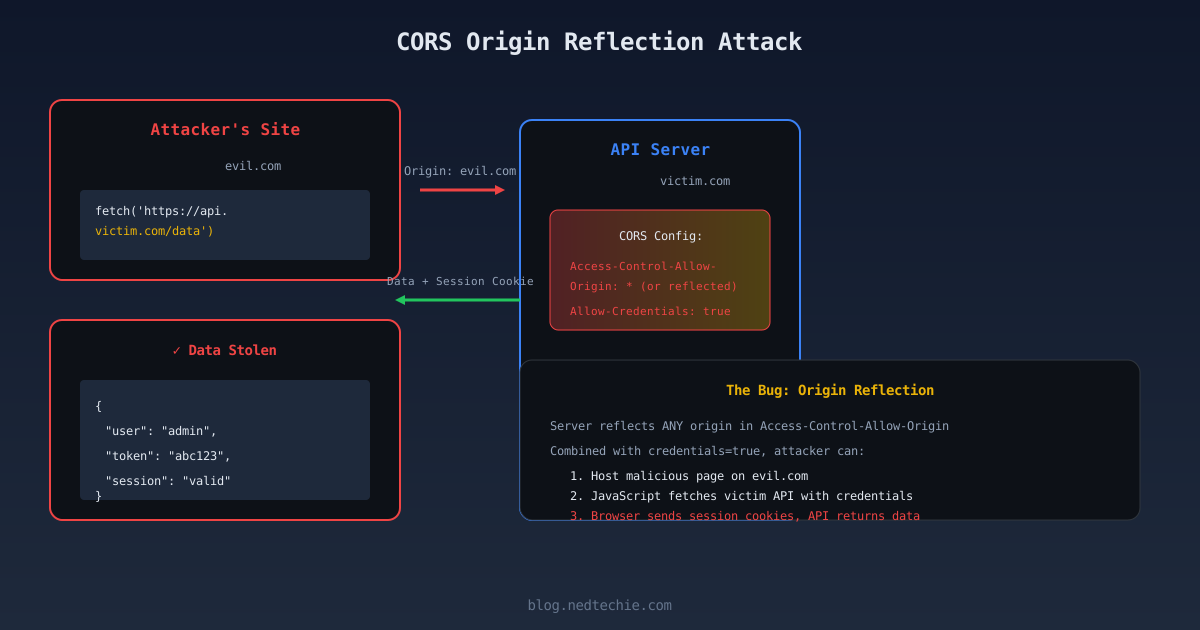
CORS with credentials means the browser will:
- Send your cookies
- Send your authorization headers
- Trust the response
If I control evil.example.com (or can compromise any subdomain), I can make requests to your API AS YOU. From my malicious domain. With your credentials.
1
2
3
4
5
6
7
8
9
// On evil.example.com
fetch('https://api.example.com/user/profile', {
  credentials: 'include'
})
  .then(r => r.json())
  .then(data => {
    // I just got your profile data
    sendToMyServer(data);
  })
The Preflight Problem
While I was testing, I noticed something else. The OPTIONS preflight response:
1
2
3
curl -sI -X OPTIONS "$API/user" \
  -H "Origin: https://evil.example.com" \
  -H "Access-Control-Request-Method: DELETE"
Response:
1
2
access-control-allow-methods: GET,POST,PUT,DELETE,PATCH,OPTIONS,HEAD
access-control-allow-credentials: true
So not only does it accept any origin with credentials, it also tells that origin that DELETE is allowed.
That’s a lot of information to give to a potential attacker.
Why This Happens (The Regex Trap)
I pulled up the code. Found the CORS configuration:
1
2
3
4
5
const corsOptions = {
  origin: /^https:\/\/([a-z0-9-]+\.)?example\.com$/,
  credentials: true,
  methods: ['GET', 'POST', 'PUT', 'DELETE', 'PATCH', 'OPTIONS', 'HEAD']
};
See that regex? ([a-z0-9-]+\.)? means “any subdomain, optional.” The + means “one or more.” So it matches:
app.example.com✓www.example.com✓evil.example.com✓totally-not-malicious.example.com✓
The regex is technically correct for the intended purpose. It allows any subdomain. But “any subdomain” includes ones that don’t exist yet. Ones that could be registered by attackers.
The Fix That Took Too Long
I wrote up the finding. Sent it to the team. Expected a quick fix.
What I got was a three-hour debate about subdomains.
“But we need dynamic subdomains for feature branches!”
“We can’t list them all, there are too many!”
“The regex is correct, it’s doing what we want!”
I had to explain that yes, the regex works. But “works” and “is secure” are different things.
Eventually, we settled on this:
1
2
3
4
5
6
7
8
9
10
11
12
13
14
15
16
17
18
19
20
const allowedOrigins = [
  'https://app.example.com',
  'https://www.example.com',
  'https://admin.example.com',
  'https://api.example.com'
];

// For feature branches, add them dynamically via environment variable
const featureBranchOrigins = process.env.FEATURE_BRANCH_ORIGINS?.split(',') || [];

const corsOptions = {
  origin: (origin, callback) => {
    if (!origin || allowedOrigins.includes(origin) || featureBranchOrigins.includes(origin)) {
      callback(null, true);
    } else {
      callback(null, false); // Returns 403, not 500
    }
  },
  credentials: true
};
Explicit whitelist. No wildcards. If you need a new subdomain, you add it to the list.
The Other Fix
Remember that 500 error? The one where I sent a fake origin and the server crashed?
That was because of this:
1
2
3
if (!allowedOrigins.includes(origin)) {
  throw new Error('Not allowed by CORS'); // This causes 500
}
The fix:
1
2
3
4
if (!allowedOrigins.includes(origin)) {
  callback(null, false); // This causes 403
  return;
}
Use callback(null, false) not throw new Error(). The CORS middleware handles the response properly.
What I Learned
-
CORS is hard. Everyone thinks they understand it until they have to secure it.
-
Regex is dangerous.
.*and.+will match things you don’t expect. -
Feature branches are a security nightmare. Everyone wants them, nobody wants to secure them.
-
500 errors leak information. They tell attackers “this endpoint exists and does something.”
-
The preflight response is an info leak. Every method you list is a method attackers know exists.
Testing Your Own CORS
Here’s what I run now:
1
2
3
4
5
6
7
8
9
10
11
12
13
14
15
16
17
18
19
20
21
22
23
24
25
26
27
28
#!/bin/bash
API="https://api.example.com"

echo "=== Testing CORS configuration ==="

# Test 1: Valid origin
echo "1. Valid origin:"
curl -sI "$API/config" \
  -H "Origin: https://app.example.com" \
  | grep -i "access-control"

# Test 2: Invalid origin (should not have allow-origin)
echo "2. Invalid origin (should be blocked):"
curl -sI "$API/config" \
  -H "Origin: https://evil.com" \
  | grep -i "access-control"

# Test 3: Fake subdomain (should not be allowed)
echo "3. Fake subdomain:"
curl -sI "$API/config" \
  -H "Origin: https://notreal.example.com" \
  | grep -i "access-control"

# Test 4: Check status code for blocked origin
echo "4. Status code for blocked:"
curl -s -o /dev/null -w "%{http_code}" -X OPTIONS "$API/config" \
  -H "Origin: https://evil.com" \
  -H "Access-Control-Request-Method: GET"
If test 2 or 3 return Access-Control-Allow-Origin, you’ve got problems.
The Aftermath
The CORS fix went out the next day. The error handling fix followed. I got a Slack message from the frontend lead: “Why is my feature branch getting CORS errors?”
“Because it’s not in the whitelist,” I said.
“But it was working yesterday!”
“It was also accepting requests from any subdomain. Including ones that don’t exist yet.”
Pause.
“Okay, fine. How do I add my branch?”
Progress.
Why I Do This
I could have ignored that 500 error. Just noted “CORS returns 500 for invalid origins” and moved on. Most people would.
But that’s how vulnerabilities stay hidden. You have to follow the rabbit hole. You have to ask “why” and “what if.”
Even when it ruins your Tuesday.
Even when you end up learning way more about CORS than you ever wanted to know.
Because the alternative is finding out the hard way. In production. With real users. And real attackers.
So I’ll keep following the rabbit holes. Keep asking the annoying questions. Keep ruining my Tuesdays.
It’s better than ruining my weekend with a breach response.
If you’ve ever fallen down a CORS rabbit hole, I feel you. Let’s talk about it. LinkedIn or GitHub.